How to Reactivate Lapsed App Users With a Re-Engagement Campaign
A practical guide to running a re-engage lapsed app users campaign with email and push sequences that recover up to 25% of dormant users.

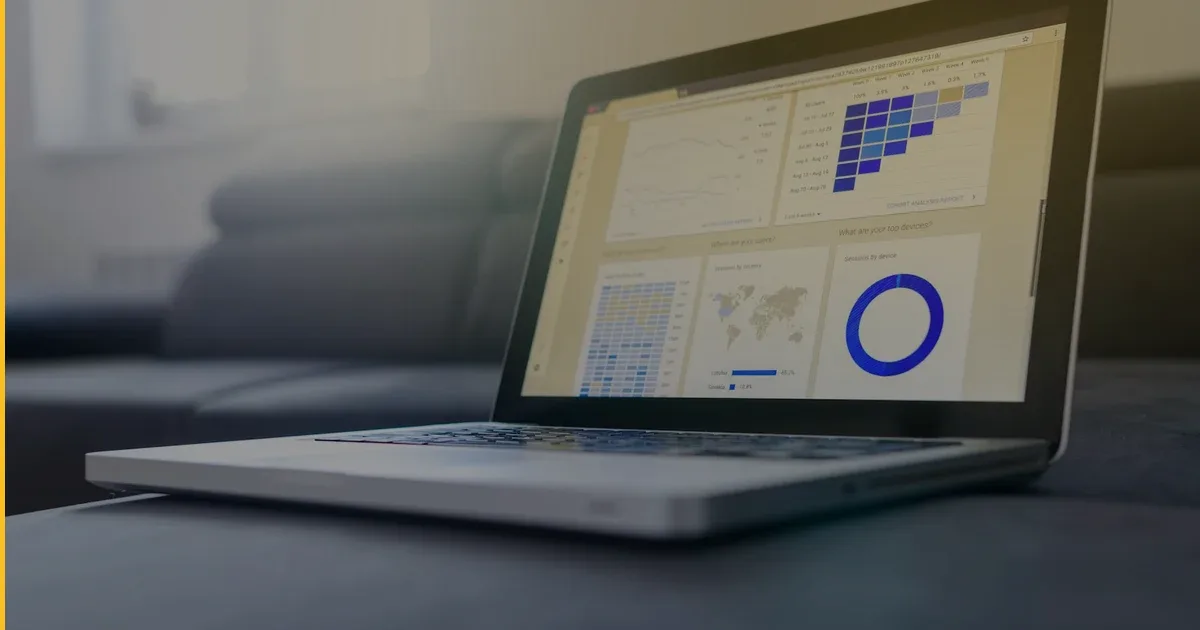
Most apps lose more than half their users within the first 30 days. By day 90, it is common for 80% or more of an install cohort to have gone completely silent. That is a lot of value sitting dormant — users who already trusted you enough to download and sign up, but drifted away before forming a habit. A well-structured re-engage lapsed app users campaign can recover a meaningful slice of that audience. Done right, you can expect somewhere between 10% and 25% of dormant users to become active again. This guide walks through exactly how to build one.
Why Lapsed Users Are Worth Chasing
Acquiring a new user costs significantly more than reactivating a dormant one. Lapsed users already know your brand, already have the app installed (or at least remember it), and cleared your onboarding at least partially. The barrier to re-engagement is psychological and habitual — not informational.
That asymmetry makes reactivation one of the highest-ROI levers available to an app business. Before you spend another dollar on paid acquisition, it is worth asking: how many of your existing users could come back if you simply asked them the right way?
At Fera Tech, we think about retention from day one of every build. Across the 12+ apps we have shipped — including our own products Launchcast and Clove AI and client projects in our portfolio — we have seen reactivation campaigns consistently outperform new-user acquisition on a cost-per-active-user basis.
Step 1: Define “Lapsed” for Your App
Before you send a single message, you need a consistent definition of what “lapsed” means in your specific context. There is no universal answer — it depends on your app’s natural usage frequency.
| App Type | Typical Active Frequency | Lapsed Definition |
|---|---|---|
| Daily habit (fitness, journaling) | Daily–weekly | No session in 14 days |
| Productivity / tools | Weekly | No session in 30 days |
| Booking / services | Monthly | No session in 60 days |
| Event-driven (travel, tickets) | Occasional | No session since last purchase |
Pick a threshold that reflects your app’s natural rhythm. A recipe app like Clove AI might define lapsed as 21 days without logging a meal. A space launch tracker like Launchcast might set the bar at 45 days without opening the app. Segment your database by this definition before building anything else.
Step 2: Build Your Reactivation Segments
Not all lapsed users are the same. Three useful segments:
- Recently lapsed (14–30 days): They drifted. A well-timed nudge may be enough.
- Mid-term lapsed (31–90 days): They forgot. Personalized value reminders work best here.
- Long-term lapsed (90+ days): They left intentionally. You need something meaningfully new — a feature, a limited offer, or a reframe of your core value.
Segment separately because the messaging, cadence, and channel mix will differ for each group.
Step 3: Choose Your Channels
A re-engagement campaign relies on two channels: push notifications and email. Use both.
Push Notifications
Push is immediate and personal. It is your highest-attention channel — but only if the user still has notifications enabled and the app installed. For recently lapsed users, push is usually the first move.
Best practices for re-engagement push:
- Keep copy under 100 characters. Lead with the benefit, not your app name.
- Personalize where possible (“3 launches on your watchlist this week” beats a generic nudge).
- Deep-link to the relevant screen — never drop lapsed users on a generic home screen.
- Send at the user’s local time, ideally when they previously used the app.
Email reaches users who have uninstalled or disabled push, and allows longer, more persuasive copy. For mid-term and long-term lapsed users, email does the heavy lifting.
Best practices for re-engagement email:
- Subject line should acknowledge the gap: “Here’s what’s new since you left.”
- Remind users of their own history — what they saved, what they started.
- Introduce a hook: a new feature, a seasonal angle, or an exclusive offer.
- One prominent CTA — one button, one destination.
Step 4: Design the Sequence
A single message rarely wins back a lapsed user. Three to five touches over two to three weeks outperforms a one-shot blast. Here is a proven structure for a mid-term lapsed segment:
- Day 1 — Push: Short nudge. “New features are live — come see what’s changed.” Deep-link to a “What’s New” screen.
- Day 3 — Email: Personalized reminder tied to their past activity. Single CTA.
- Day 7 — Email: Introduce the hook explicitly — a new feature, extended free trial, or a limited discount.
- Day 14 — Push: Final nudge before moving to long-term dormant treatment.
- Day 21 — Email: Last-chance message with a clear offer expiry.
Stop the sequence as soon as the user reactivates and move them into a welcome-back flow.
Step 5: Personalize at Scale
Personalization is the single biggest lever for re-engagement performance. Generic “we miss you” messages convert at a fraction of the rate of messages tied to a user’s actual behavior.
Personalization signals to prioritize:
- Last feature or content they used before going quiet
- Progress left incomplete — onboarding steps, saved items, unfinished tasks
- Contextual triggers — a new launch on their watchlist, a recipe matching a saved ingredient
Even basic personalization — the user’s first name plus a reference to their last in-app action — can lift open rates meaningfully compared to generic copy.
Step 6: Measure What Matters
A re-engage lapsed app users campaign should be measured on outcomes, not vanity metrics. Track these:
- Reactivation rate: The percentage of the targeted lapsed cohort that returns to the app within 30 days of the first campaign touch.
- Re-retention rate: Of those who reactivated, what percentage stayed active for another 14 days? Reactivating someone who bounces again has low long-term value.
- Revenue recovered: Track reactivated users through your paywall or subscription screen. Sessions only matter when they produce revenue.
- Unsubscribe and push opt-out rate: If opt-outs spike, you are messaging too aggressively or with too little relevance.
A well-executed campaign typically sees 10–25% reactivation within 30 days. Anything above 15% on a mid-term lapsed segment is a strong result. Below 10% usually means the first message arrived too late, the copy lacked personalization, or the sequence led with a discount that undercut perceived product value.
Common Questions
How often should we run reactivation campaigns? Treat reactivation as an always-on automated program rather than a one-time campaign. Set up sequences that trigger automatically when a user crosses your lapsed threshold. Every dormant user should enter the funnel continuously — waiting for a manual quarterly blast leaves recoverable revenue on the table.
What if users have push notifications turned off? Email becomes your primary channel. If you do not have an email address for the user, your options are limited — which is why collecting email at signup is worth building into your onboarding flow from day one, even as an optional step.
Should we offer discounts to win lapsed users back? Use discounts carefully. They work — especially for subscription apps — but they set a price expectation. A feature-led hook (showing genuine new value) is preferable when available. Reserve discounts for the long-term lapsed segment where you have few other levers left, and always put a clear expiry date on them.
Build Apps That Keep Users Engaged
A re-engage lapsed app users campaign is one of the highest-ROI growth moves available — because you are working with people who already know you. The key is treating it as an instrumented system, not a one-off blast.
Every tactic here depends on infrastructure built into the app from the start: event tracking, push and email tooling, and behavioral segmentation. When we scope new apps at Fera Tech, we include retention tooling by default — because reactivation campaigns only pay off when the plumbing is already there.
To explore what a reactivation-ready build looks like for your product, check our services or client work, or get in touch.
Building something like this?
Fera Tech ships iOS & full-stack apps end-to-end. Tell us about your project.
Start a project