How to Run an App Pre-Launch Campaign That Builds Real Demand
A week-by-week app pre-launch marketing campaign checklist — email list, beta users, App Store setup, and how to arrive at launch day with real momentum.

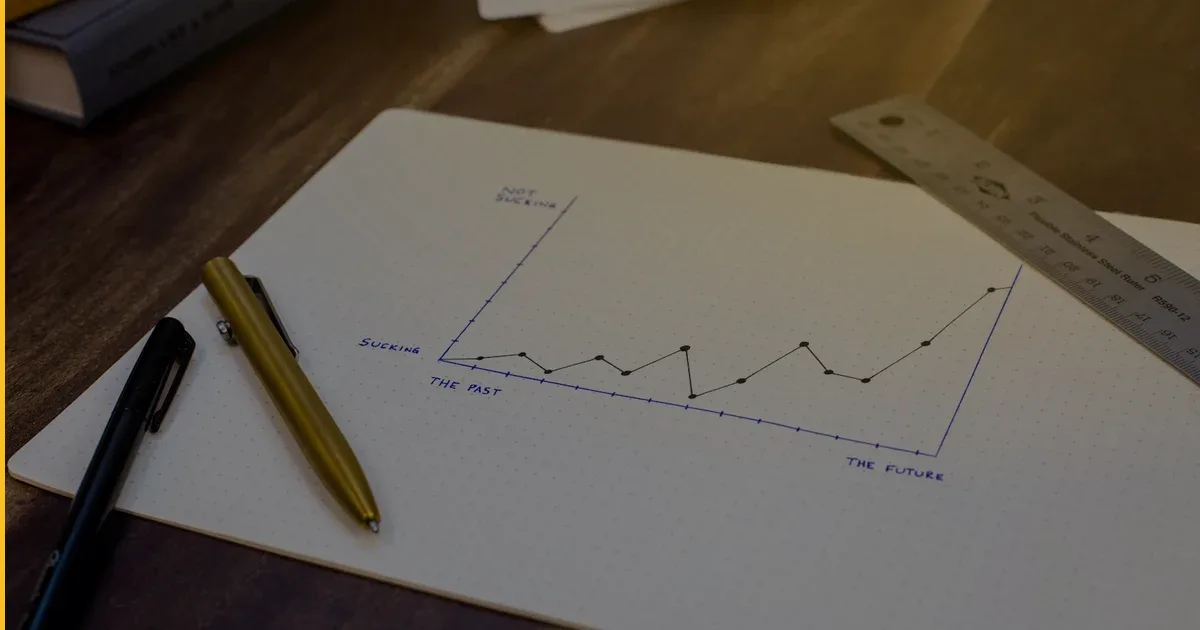
Most apps do not fail because the product is bad. They fail because nobody was waiting for them. A well-executed app pre-launch marketing campaign is what separates an app that gets noticed on launch day from one that quietly appears on the App Store and collects zero downloads. The good news: you do not need a PR agency or a huge budget. You need a structured plan, started at least eight weeks before you ship.
This guide walks you through exactly that — a timeline-based checklist you can start today, whether your app is in development or almost ready to submit.
Why Pre-Launch Marketing Matters More Than Launch Day
The App Store algorithm rewards early momentum. Apps that accumulate downloads, reviews, and engagement in their first 72 hours rank higher and get featured more often. That momentum has to come from somewhere — and the somewhere is the audience you build before you ever press submit.
When we shipped our own apps — Launchcast, our premium space launch tracker, and Clove AI, our AI smart-kitchen assistant — pre-launch audience building was not optional. It is what gave us a runway of real users to engage on day one. The same principle applies to every client app we have helped bring to market at Fera Tech.
The 8-Week Pre-Launch Checklist
Weeks 8–7: Lay the Foundation
Before you can build an audience, you need somewhere to send them and something to show them.
Build a landing page. A single-page site with your app’s name, a clear value proposition, a screenshot or mockup, and an email sign-up form. This does not need to be beautiful — it needs to be fast to load, clear about what the app does, and focused on capturing an email address.
Set up your email list. Use a simple email tool (Mailchimp, ConvertKit, Loops — any of them work). The goal is to own a direct line to interested people that is not dependent on a social algorithm.
Define your ideal early adopter. Write one paragraph describing the specific person who needs this app most. Their job, their frustration, where they spend time online. Every piece of content and outreach you do in the coming weeks should speak to that person.
Create your App Store Connect account. Do this now, not the week before launch. Verify your developer account, set up your app listing as a draft, and start collecting the metadata you will need: keywords, screenshots, app description, category selection, and age rating. App Store Connect approval and provisioning can surface surprises — better to find them early.
Weeks 6–5: Start Building the List
Post in communities where your early adopter already is. Reddit (find the 2–3 most relevant subreddits), Facebook groups, Slack communities, Discord servers, LinkedIn if your app is B2B. The rule: add value first, mention the app second. A post that answers a real question and ends with “I’m building something for exactly this problem — would love early testers” outperforms a straight promotional post every time.
Reach out to 10–20 potential beta users personally. Not a mass email — individual messages to people who match your early adopter profile. Offer them early access in exchange for 30 minutes of feedback. Personal outreach at this stage converts far better than any ad campaign.
Start a short content series. Three to five pieces of content (blog posts, LinkedIn posts, short videos, a newsletter) that document the problem your app solves. Not “here is my app” — but “here is why this problem is real and what solving it looks like.” This positions you as credible before you ask anyone to download anything.
Weeks 4–3: Run a Closed Beta
Invite your first 20–50 beta users. Use TestFlight for iOS. Give them a structured brief: what to test, what feedback you want, how to submit it. Unstructured beta programs generate noise; structured ones generate insight.
Collect feedback and fix the critical issues. Not everything — focus on blockers that would cause a new user to quit in the first session. Onboarding friction, confusing UI flows, missing core functionality. This is not the time for feature requests.
Ask beta users for a testimonial or a short review quote. Even one or two lines like “I deleted my old [competitor] app after the first session” is social proof you can use on your landing page and in launch posts.
Finalize your App Store listing. Write your app description with your primary keyword in the first sentence. Design your screenshots to tell a story — each one should show a specific benefit, not just a screen. Record a preview video if the app has motion or UI that screenshots cannot capture.
Weeks 2–1: Build Launch-Day Momentum
Email your list at least twice. One email to confirm the launch date is coming. One email on launch day with a direct link and a reason to act now (early reviews help the app get seen by more people — tell them that honestly). People who opted in weeks ago need a warm-up before the ask.
Line up a few posts for launch day. Coordinate with any early users, partners, or collaborators who are willing to post. A handful of authentic posts from real people carries more weight than a single broadcast from your account.
Prepare your review prompt strategy. Build a natural in-app moment — after a positive action, not an annoying pop-up — where you ask for an App Store review. Even 10 early reviews dramatically improves conversion for new visitors browsing the App Store.
What You Actually Need to Track
Do not track vanity metrics during pre-launch. Focus on:
| Metric | Why It Matters |
|---|---|
| Email list size | Your direct, owned audience on launch day |
| Beta user count | Real users giving real feedback before launch |
| Email open rate | Measures how engaged your list actually is |
| App Store keyword rank (post-launch) | Tells you if your metadata is working |
| Day-1 and Day-7 retention | The number that reveals true product-market fit |
Download count on day one feels satisfying but tells you very little. Retention — the percentage of users who come back on day 7 — is what determines whether your app survives.
Common Questions
How big does my email list need to be before launch? There is no magic number, but 200–500 engaged subscribers is a meaningful start for an indie or small-team launch. Quality matters more than size: 300 people who signed up because the problem resonates will generate more day-one activity than 2,000 people who clicked a giveaway.
Should I run paid ads before launch? Only to drive landing page sign-ups, not to drive App Store downloads before you have reviews or retention data. Spending money to send users to a zero-review app listing is usually wasted. Build your list first, then consider paid traffic after you have a few dozen reviews and proof that users stay.
How long does App Store review take, and when should I submit? Apple’s review typically takes 24–48 hours for first submissions, though it can be longer for new accounts or apps with complex functionality. Submit at least one week before your planned launch date. Build in time for at least one resubmission if you receive feedback.
The Honest Reality
An app pre-launch marketing campaign will not rescue a product with no real demand. But for an app that solves a genuine problem, pre-launch work is what converts potential into momentum. The founders who treat launch day as a starting gun — rather than a finish line — are the ones whose apps gain traction.
At Fera Tech, we have shipped 12+ apps to the App Store across iOS, cross-platform, and AI-integrated projects. The pattern we see consistently: studios and founders who invest in pre-launch community building outperform those who focus exclusively on the product right up until submit. Both matter — but most teams over-invest in polish and under-invest in audience.
If you are approaching launch and want a partner who understands both the technical side and the go-to-market reality, see what we build or get in touch. We are happy to talk through your launch plan, no commitment required.
More on growing your app after launch: browse the Fera Tech blog for guides on retention, monetization, and what actually moves the needle post-ship.
Building something like this?
Fera Tech ships iOS & full-stack apps end-to-end. Tell us about your project.
Start a project