Building Offline-First iOS Apps
A practical guide to offline first iOS architecture — local storage, sync strategies, conflict resolution, and when to use SwiftData vs CoreData.

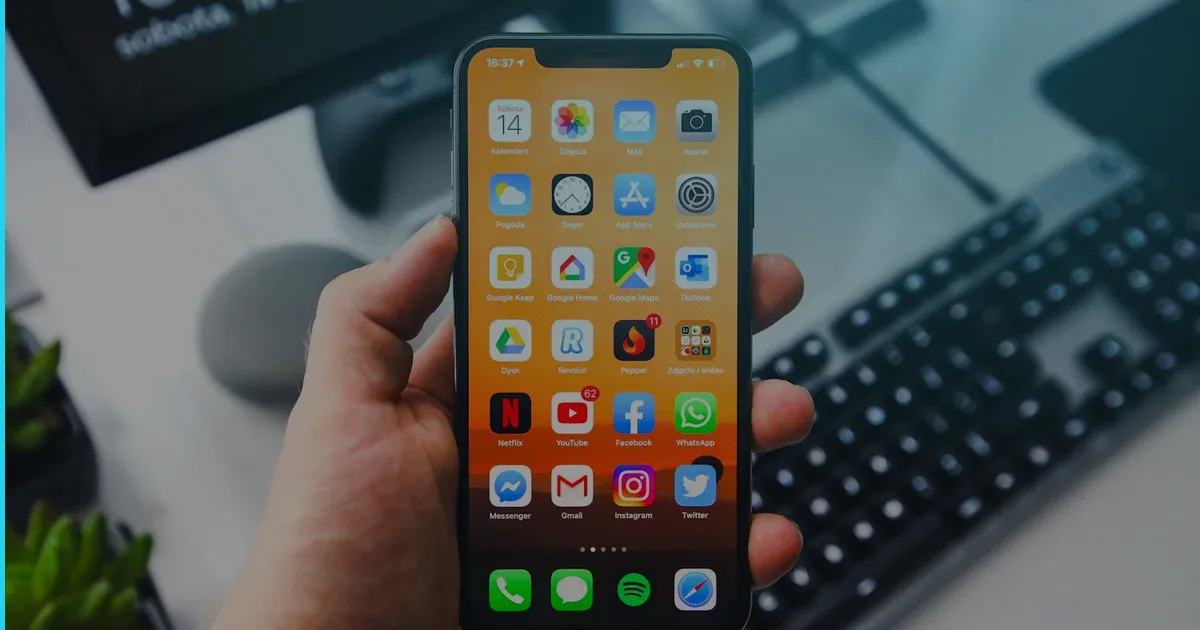
An offline-first iOS app works fully without a network connection and syncs silently when connectivity returns. It sounds like a niche requirement, but in practice it is the right architecture for most apps — not just field tools or travel utilities. Users in areas with unreliable coverage, commuters on the subway, or anyone who launches your app in airplane mode will all hit a broken experience if your app treats the network as a guarantee. Building offline first from the start is far cheaper than bolting it on later, and it forces a level of data discipline that makes the whole product more robust.
What “offline first” actually means
Offline first is not simply caching a few API responses. It means the local database is the source of truth at all times. The UI reads from local storage exclusively. The network layer syncs data to and from a remote backend in the background, but its failure never blocks the user.
The contrast with the traditional approach is sharp:
| Approach | Read source | Write target | Network failure |
|---|---|---|---|
| Network first | Remote API | Remote API | Spinner / error screen |
| Cache aside | Remote API + cache on hit | Remote API | Stale data or blank screen |
| Offline first | Local DB always | Local DB always | Invisible to user |
Choosing your local storage layer
Apple’s ecosystem gives you several options, and picking the right one early prevents painful migrations.
SwiftData (2026 default)
SwiftData — introduced in iOS 17 and significantly expanded since — is now the right default for new offline-first builds. It integrates directly with SwiftUI’s state system (@Query, @Model), handles schema migrations, and can be backed by CloudKit for free sync with iCloud. For apps targeting iOS 17+, SwiftData removes most of the boilerplate that made CoreData frustrating.
CoreData
If you are supporting iOS 15 or 16, or building a particularly complex graph of related objects, CoreData remains capable and well-understood. It has a 20-year production history and deep CloudKit sync support via NSPersistentCloudKitContainer. Many of our production apps still run on CoreData with no plans to migrate — a solid CoreData model is not technical debt.
SQLite via GRDB or similar
For apps with complex querying needs, or when the team wants SQL-level control, a Swift-friendly SQLite wrapper like GRDB gives fine-grained performance and zero ORM magic. It is a particularly good fit for apps with large datasets, full-text search, or complex reporting.
Realm / other third-party
Realm adds its own sync layer (Atlas Device Sync) which can shortcut custom backend work. It is a reasonable choice if you are building on MongoDB Atlas and want to avoid writing your own sync protocol. The trade-off is vendor lock-in on both the storage format and the backend.
Rule of thumb: SwiftData for new apps targeting iOS 17+. CoreData for iOS 15/16 support or complex existing schemas. Raw SQLite when query performance and flexibility matter more than convenience.
Sync architecture: the hard part
Local storage is the easy part. Sync is where offline-first apps genuinely earn their complexity budget.
Write-ahead queue
Every write the user makes locally should be appended to a persistent mutation queue — a simple table of pending operations (create, update, delete) with a timestamp and a local UUID. A background sync worker drains this queue when the network is available. If the app is killed mid-sync, the queue persists and picks up on next launch.
Conflict resolution
When two devices edit the same record offline and both sync, you have a conflict. The most practical strategies in ascending complexity:
- Last-write-wins (LWW): Use the server timestamp. Simple. Works for most user-facing data where one user owns the record.
- Merge fields independently: If record fields are logically independent (e.g. a document’s title vs its body), merge at the field level rather than the document level.
- Operational transforms / CRDTs: For truly collaborative documents (think shared notes or lists), conflict-free replicated data types (CRDTs) provide deterministic merges. Libraries like
automerge-swiftmake this approachable, but the complexity cost is real — justify it before adding it.
For most iOS apps — trackers, assistants, commerce tools — last-write-wins with field-level merging covers 95% of real-world conflicts cleanly.
Optimistic UI
Offline-first naturally enables optimistic UI: show the result of a write instantly in the UI without waiting for server confirmation. When the sync fails, roll back and show a lightweight error. Users experience zero latency for their own writes, which makes the app feel fast even on a slow connection. We use this pattern in our own App Store products and the improvement in perceived performance is consistently one of the most-noticed UX wins.
Handling network state
iOS gives you NWPathMonitor (from Network.framework) for reliable, low-latency connectivity monitoring. Register a listener at app startup and expose network state through a lightweight observable. Your sync worker subscribes to this and fires when connectivity is restored.
import Network

final class NetworkMonitor: ObservableObject {
    private let monitor = NWPathMonitor()
    @Published var isConnected = true

    init() {
        monitor.pathUpdateHandler = { [weak self] path in
            DispatchQueue.main.async {
                self?.isConnected = path.status == .satisfied
            }
        }
        monitor.start(queue: DispatchQueue(label: "NetworkMonitor"))
    }
}
Avoid using Reachability patterns that check connectivity synchronously before each request — NWPathMonitor is the modern, push-based approach Apple recommends.
Background sync and iOS constraints
iOS aggressively limits background execution. Use BGAppRefreshTask and BGProcessingTask (via BackgroundTasks.framework) for deferred sync. Schedule a processing task for larger sync operations (the system grants up to 30 seconds for refresh, longer for processing tasks scheduled when plugged in). Handle the expiration handler to save partial sync state gracefully — never assume you will finish.
For real-time sync requirements (chat, collaborative editing), use URLSessionWebSocketTask during active foreground sessions, and fall back to push notifications via APNs to wake the app when new data arrives.
Testing offline behavior
Offline-first bugs are often invisible in development because the simulator has a perfect network. Make offline testing a first-class part of your QA:
- Use Network Link Conditioner to simulate 3G, high-latency, and disconnected states on device.
- Write unit tests that exercise the sync queue and conflict resolution logic in isolation — this is pure business logic and should not require a device.
- Maintain a local mock server (e.g. with
URLProtocol) for deterministic integration tests.
When is offline first NOT worth it?
Not every app needs it. A live sports score app, a real-time trading terminal, or a video streaming service cannot meaningfully function offline regardless of architecture. For apps where the data is inherently ephemeral and real-time, adding a local persistence layer may add cost without delivering value. The decision should be driven by user behaviour analysis, not engineering aesthetics.
Cost and timeline impact
Offline-first architecture adds roughly 20–40% to the data layer work compared to a pure network-read approach. For a standard app (auth, data model, sync) in the $15–45k range, that typically means an additional two to four weeks of engineering. The payback comes in user retention and crash-rate reduction — apps that fail gracefully on poor networks see measurably better App Store ratings over time.
We have built offline-first apps across our iOS service work and across products like Launchcast and Clove AI. The patterns above are what we actually use in production, not theoretical prescriptions.
Planning an offline-first iOS app and want a realistic scope estimate? Get in touch — we will give you a straight assessment of what your specific data model and sync requirements will take to build well.
Building something like this?
Fera Tech ships iOS & full-stack apps end-to-end. Tell us about your project.
Start a project